
- 파일
-
디자인
-
-
모든 카테고리 -
Category #1 - New Category
-
내디자인
-
- 공유하기
-
도움말
-
Quick help
- ctrl+a
Select all objects
ctrl+d Double the activate object
ctrl+e Clear all objects
ctrl+s Save current stage to my design
ctrl+o Open a file to import design
ctrl+p Print
ctrl++ Zoom out
ctrl+- Zoom in
ctrl+0 Reset zoom
ctrl+z Undo changes
ctrl+shift+z Redo changes
ctrl+shift+s Download current design
delete Delete the activate object
← Move the activate object to left
↑ Move the activate object to top
→ Move the activate object to right
↓ Move the activate object to bottom
shift+← Move the activate object to left 10px
shift+↑ Move the activate object to top 10px
shift+→ Move the activate object to right 10px
shift+↓ Move the activate object to bottom 10px - Custom help content

Copyright © 2017-2022 Lumise Inc.
All Rights Reserved.Powered by Lumise version 2.1.2
-
- Shop
- 되돌리기
- 다시실행
- 0.0
-
장바구니
- 샵으로이동
- 디자인
- 상품
- 샘플
- 스티커
- 이미지
- 폰트
- 그리기
- 레이어
클릭 또는 드래그 하여 업로드
클릭 또는 드래그 하여 텍스트 편집
※주의※
무단으로 폰트를 사용할시
법적인 제재를 받으실 수 있습니다.









자유롭게 그리기
Save this color
팁: 캔버스에서 마우스 휠을 사용하면 브러시 크기를 빠르게 변경할 수 있습니다.
-
Start designing by adding objects from the left side
- 그룹으로 설정이 되어있습니다 | 그룹해제하기
- 그룹으로 설정하기 선택영역 그룹하기
-
-
색상옵션
Save this color
-
-
옵션
-
Automatically align the position of <br>the active object with other objects -
ON: Keep all current objects and append the template into OFF: Clear all objects before installing the template -
Replace the selected image object instead of creating a new one
-
- 이미지 변경
- 자르기
-
마스크
-
마스크할 레이어 선택
-
-
배경효과
-
배경효과
-
범위:
-
모드:
-
-
필터
-
필터
-
- Original
- B&W
- Satya
- Doris
- Sanna
- Vintage
- Gordon
- Carl
- Shaan
- Tonny
- Peter
- Greg
- Josh
- Karen
- Melissa
- Salomon
- Sophia
- Adrian
- Roxy
- Singe
- Borg
- Ventura
- Andy
- Vivid
- Purple
- Thresh
- Aqua
- Edge wood
- Aladin
- Amber
- Anne
- Doug
- Earl
- Kevin
- Polak
- Stan
-
밝기:
-
채도:
-
대비:
-
- 필터 취소하기
- 클릭 후 마우스를 드래그하여 그리기 시작하세요. Ctrl+Z = undo, Ctrl+Shift+Z = redo
- QRCode text
-
색상옵션
-
색상옵션
Save this color
-
투명도:
-
윤곽선 두께:
-
윤곽선 색상:
-
- 그룹해제
-
레이어
-
위치
-
위치설정
위치 잠그기:
-
가운데 세로
-
Top left
-
Top center
-
Top right
-
가로 중심
-
Middle left
-
Middle center
-
Middle right
- Press ← ↑ → ↓ to move 1 px, <br>Hit simultaneously SHIFT key to move 10px
-
Bottom left
-
Bottom center
-
Bottom right
-
-
변형
-
회전:
-
가로기준 비틀기:
-
새로기준 비틀기:
-
가로로 뒤집기:
새로로 뒤집기:
SHIFT+⤡ 단축키로 자유변형 가능합니다
-
-
폰트선택
-
텍스트 수정
-
텍스트 수정
-
-
폰트크기:
-
자간
-
행높이
-
-
텍스트효과
-
텍스트효과
-
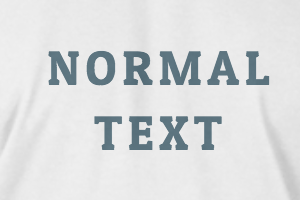
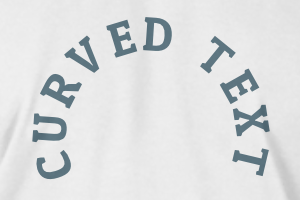
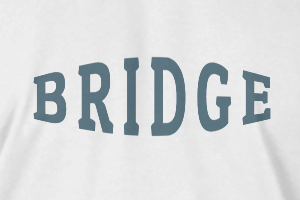
-
부채꼴
-
넓이
-
커브
-
높이
-
오프셋
-
돌출
-
-
텍스트정렬
- 대/소문자
- 폰트굵기
- 이탤릭체
- 밑줄
Please select a product to start designing
Scroll to zoom